
● REVIEWS
RollOver offers a clean, engaging endless runner experience. The simple tap controls work well on both desktop and mobile, and the increasing speed provides a steady challenge. The colorful graphics and smooth gameplay make it perfect for quick breaks. While it lacks depth in features, its core mechanics are solid and addictive.
● ABOUT THIS GAME
Game Introduction
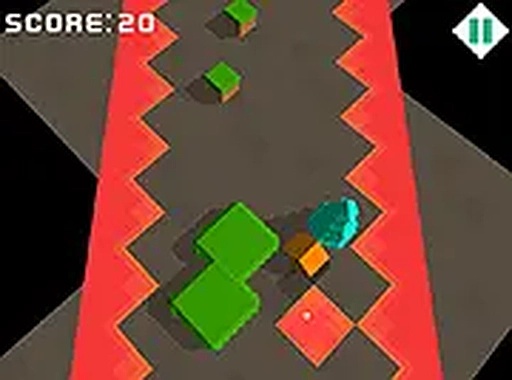
RollOver is an endless runner arcade game that puts you in control of a rolling character navigating a path filled with obstacles. The core objective is to roll as far as possible while avoiding barriers and overcoming obstacles to earn points. With colorful graphics and smooth controls, the game is accessible for players of all ages. As you progress, the speed increases, adding a layer of challenge that keeps each run fresh and engaging. Whether you have a few minutes or want a longer session, RollOver delivers quick, addictive fun.
How to Play
Playing RollOver is straightforward. On desktop, use your mouse or keyboard to control the rolling character. On mobile devices, simply tap the screen to make your character jump or dodge obstacles. Timing is key: avoid hitting obstacles and aim to overcome barriers for extra points. The game speeds up as you advance, so stay focused and react quickly. No downloads are needed, and you can start playing instantly in your browser.
Game Features
Endless rolling action keeps the gameplay fresh. Simple tap controls work on both desktop and mobile. Dodge a variety of obstacles to stay alive. Overcome barriers to score points. Full screen mode enhances the experience. The increasing difficulty provides a steady challenge, and the simple mechanics make it perfect for quick breaks or longer play sessions.
Tips for Success
To maximize your distance, practice your timing for jumps and dodges. Focus on anticipating obstacles as the speed increases. Prioritize overcoming barriers for bonus points, but never sacrifice safety for a risky move. Stay calm and maintain a steady rhythm, as panicking often leads to mistakes. Regular play will help you learn the patterns and improve your reflexes.
COMMENTS
0 comments